Food Lion
- 4.4
- Rating
- 1.00M
- Installs
- Free
- Price

 Analysis by App-foxy
I found Food Lion most useful when I treated it as a practical shopping companion rather than a complete replacement for every grocery-shopping method. It is a free shopping app from Food Lion, LLC, available to everyone from a content-rating perspective, and its main value is putting store-related planning in one place. I can use it before leaving home, while deciding what to buy, and during the final check before paying. That sounds simple, but the difference between a useful grocery app and an annoying one often comes down to how much effort it saves in ordinary situations.
My overall impression is positive, especially for people who regularly shop at Food Lion and want a more organized way to prepare. The app has a 4.4 average from roughly thirty-eight thousand ratings, with more than a million installs, so it has clearly become a familiar tool for a substantial number of shoppers. Still, popularity does not make every screen equally comfortable. The experience depends on how well you handle small text, changing attention demands, store noise, and the occasional need to move quickly.
How Food Lion feels to use in real shopping situations
When I think about Food Lion in an ordinary grocery trip, the key question is not how many screens it offers but whether it helps me arrive with a clearer plan. I’ll focus on the small choices that shape that experience, including when to use the app and when a simpler note is more practical. That makes it easier to judge whether its store-specific approach fits your routine.
You May Also Like

 Blood Strike: 2.5 Anniversary
Blood Strike’s Loadouts Turn Every Drop Into a Tactical Gamble
A close look at Blood Strike’s custom loadouts: how fast access to signature weapons reshapes its battle royale rhythm, rewards preparation, and narrows the gap between fights.

 Pandora - Music & Podcasts
Pandora’s Music Is Easy to Start, but Harder to Recover
Pandora’s strength is its low-effort path from a seed to a station. Its weak spot is how much confidence it asks you to place in connection, setup, and quiet recovery.

 8 Ball Pool
 Is Built on Rivalries, Rematches, and Routine
A close look at the rivalries, rematches, shared routines, and unanswered safety questions that turn a quick pool match into a persistent mobile community.

 Samsung Music
’s Quiet Strength Is Playing What You Already Own
Its reach comes less from spectacle than from dependable access to a personal library. That simplicity is both the app’s strongest retention engine and its ceiling.

 AccuWeather: Weather Radar
AccuWeather Review: A Quick, Clear Forecast for Everyday Decisions
For everyday plans, the best forecast is the one you can understand quickly. AccuWeather makes rain timing, radar, and local conditions easy to act on, with a few trade-offs.

 Hill Climb Racing
Why Hill Climb Racing Still Turns Crashes Into One More Run
A tiny car, a bumpy hill and one more upgrade: Hill Climb Racing keeps resurfacing because its simple chaos makes every near-miss feel personal.
More From Our News Desk



Readability and navigation before leaving home
The strongest part of the experience is the way the app can turn an unplanned grocery trip into a more deliberate one. I prefer opening it before I leave, when I have enough time to read carefully and decide what matters. That is particularly helpful if I am shopping for several meals, comparing household needs, or trying to avoid wandering through the store without a plan.
Food Lion presents itself as a shopping app, but its usefulness is not limited to browsing products. The important question is whether it helps me make decisions with less mental clutter. When I use it as a preparation tool, I can think through the trip in stages: decide what I need, check the relevant information, and then shop with fewer interruptions. This workflow is easier for someone who finds busy stores distracting or who prefers to make choices at home.
Navigation is most comfortable when I already know my goal. Looking for a particular grocery item or preparing for a routine shop feels more manageable than opening the app without a clear purpose. I would not describe it as a tool that removes every decision from grocery shopping. Instead, it gives structure to the decisions I would otherwise make while standing in an aisle.
For readability, I recommend increasing the phone’s text size before relying on the app for a long planning session. I cannot assume that every label will remain equally comfortable at every system setting, so I would test the screens I use most. A shopper with low vision may find the app easier at home than under bright store lighting, where glare and reflections can make even familiar interfaces tiring.
The most useful habit is to prepare while seated and use the store visit for confirmation rather than discovery. That reduces the amount of reading required in a noisy environment. It also gives me a chance to notice whether a screen feels crowded, whether I can distinguish headings from secondary information, and whether I need a simpler backup plan written elsewhere.
Motor comfort and sensory load
Grocery shopping already involves a lot of physical movement: holding a basket, pushing a cart, reaching for products, and navigating around other customers. An app cannot solve those demands, but it can either add friction or stay out of the way. I find Food Lion most comfortable when I use it in short sessions instead of keeping my phone in my hand throughout the entire trip.
That approach matters for shoppers with limited dexterity, hand tremors, joint pain, or difficulty making repeated precise taps. Planning at home means fewer interactions while standing, walking, or balancing a phone near a cart. It also lowers the chance of making a rushed selection simply because operating the phone has become physically tiring.
Voice control and system-level accessibility tools may help some people interact with the app, but the quality of that experience can vary by device and operating system. I would not promise that every action is equally easy through voice commands or a screen reader. The sensible approach is to test the exact tasks you care about, such as finding a product or reviewing shopping information, before depending on the app for a time-sensitive trip.
Sensory sensitivity is another important consideration. A supermarket can combine bright lights, announcements, carts, conversations, and strong smells. If I need to concentrate, I prefer doing the detailed work before entering the store and using the app only for quick reference. The app is more supportive in that context because it reduces the amount of thinking I have to do in a stimulating environment.
People who are sensitive to visual motion or rapid changes should pay attention to how they feel while moving between screens. If the interface becomes tiring, I would pause rather than forcing myself to complete the entire shop digitally. A paper note, a saved mental route, or assistance from a companion can be a better choice for the final few items.
Situational access for different kinds of shoppers
Food Lion makes the most sense for regular customers who already know where they shop. Familiarity changes the experience: I am not learning an unfamiliar retailer at the same time as learning an interface. Someone who visits Food Lion only occasionally may still benefit, but the time saved will be smaller because the app cannot replace knowing the store layout or understanding personal shopping habits.
It also suits people who plan around limited energy. For example, imagine I have a short window after work to buy ingredients for several dinners. I can prepare the list earlier, review what matters while I am still at home, and enter the store with a narrower task. If I am tired, that preparation is more valuable than any individual screen. It helps me reserve attention for crossing the store, handling products, and checking that I have not forgotten an essential item.
For a caregiver shopping on behalf of another person, the app can be useful as a shared planning point. I can review needs before leaving, clarify substitutions or preferences in advance, and avoid repeatedly calling someone from the aisle. That does not guarantee a perfect result, especially when a preferred product is unavailable, but it can make the conversation more focused.
Older shoppers may appreciate the ability to prepare without pressure, while younger shoppers with busy schedules may value the same feature for a different reason: it keeps a quick trip from expanding into an unplanned browsing session. The app is also relevant to people who prefer visual planning, provided the text and controls are comfortable on their particular phone.
On the other hand, I would skip it if I rarely shop at Food Lion, dislike using a phone for errands, or need a highly specialized accessibility experience with guaranteed behavior across every control. A simple handwritten list may be faster for a very small purchase. A general notes app may also be better if I am combining several stores and do not want my planning divided between retailer-specific tools.
Three practical workflows that improve the experience
My first tip is to separate planning from navigation. I would not wait until I am standing beside the entrance to decide how to use the app. At home, I can read more slowly, adjust the phone’s display settings, and make sure I understand the information I am looking at. In the store, I can then use short checks instead of long browsing sessions.
My second tip is to use a reduced-information approach when attention is limited. Rather than trying to inspect every available detail, I focus on the items that affect the trip: what I need, what I may have to replace, and what I should verify before paying. This is a useful trade-off. More information can be helpful, but too much on-screen checking can make a busy shopping trip harder for someone with cognitive fatigue or sensory overload.
My third tip is to create a fallback before leaving. I do not mean abandoning the app; I mean avoiding dependence on a single device or a single moment. If my battery is low, my hands are occupied, or I become uncomfortable in the store, I want the essential items available in a simpler form. This is especially important for shoppers who use the app to support memory, because forgetting the phone or losing access to it can turn a helpful plan into a new barrier.
A fourth workflow is useful for shared shopping. I would agree on the important items before the trip rather than trying to settle every disagreement in an aisle. The app can support preparation, but it cannot decide whether a particular brand, size, or substitute is acceptable for another person. That human decision still needs to happen outside the interface.
Where the app still creates barriers
The biggest limitation is that an app can organize shopping without making the entire shopping environment accessible. The store may still be crowded, difficult to navigate, or physically demanding. If I have trouble reaching shelves, carrying groceries, reading packaging, or waiting in line, the app only addresses one part of the experience.
There is also a risk of assuming that digital convenience automatically equals inclusive design. It does not. A screen may be readable at home but difficult in sunlight. A task may be easy with two hands but awkward when one hand is pushing a cart. A feature may be understandable to an experienced shopper but confusing when someone is tired, anxious, or helping another person.
Device differences matter too. Food Lion supports phones running at least iOS or Android equivalent to version 8.1, which gives it a broad technical reach, but older devices can still vary in display quality, speed, and support for system accessibility settings. I would judge the app on the phone I actually use rather than assuming that another shopper’s experience will match mine.
Another trade-off is retailer dependence. The app is focused on Food Lion, so it is more useful when that store is part of my routine. If I compare several supermarkets, use independent markets, or plan a large shopping trip across different retailers, a general list tool may provide a clearer single view. Food Lion’s focus is a strength for loyal customers and a limitation for people whose shopping is spread across many places.
I also would not use it as my only support when shopping under severe time pressure. If I need to make rapid decisions, operate the phone while moving, or manage a medical or sensory issue, preparation with a companion or a simpler list may be safer and less tiring. The app works best as preparation and reference, not as something I must constantly operate.
What the version and cost mean for a decision
Food Lion is free, which removes the most obvious financial barrier to trying it. The current version is 8.16.1, and the app has been available since January 11, 2017. That long presence suggests it is not a brand-new experiment, while the current version number shows that the product has continued to change over time.
Free access is valuable for households that are already watching grocery spending, but I still think about the indirect cost: time, attention, battery, and learning effort. If I only need a few items, opening a dedicated retailer app may take longer than writing a note. If I shop frequently at Food Lion, the repeated preparation can justify that small learning curve.
The Everyone age rating makes the app approachable for a broad household audience. That does not mean every child should manage grocery decisions independently, of course; it simply makes the app suitable for general family use from a content-rating standpoint. A parent, caregiver, or older relative can decide how much responsibility is appropriate.
My inclusive verdict
I recommend Food Lion to regular Food Lion shoppers who want to prepare at home, reduce memory load, and make store visits more predictable. Its best accessibility quality is practical rather than flashy: it can move demanding decisions away from the busiest part of the shopping trip. For people managing fatigue, distraction, or limited dexterity, that change in timing may matter more than any individual feature.
I would be more cautious if I needed guaranteed screen-reader behavior, unusually large controls, or a fully accessible solution for every part of the physical shopping experience. In those cases, I would test the app with the phone’s accessibility settings and keep a simpler backup. A general notes app may be the better option for mixed-store shopping, while in-person help may be better when mobility or sensory barriers are the main problem.
After using it as a planning aid, my honest view is that Food Lion is worthwhile when it matches an existing shopping routine. It does not eliminate the work of grocery shopping, and it should not be treated as a universal accessibility solution. But when I prepare before leaving, limit in-store phone use, and keep a fallback for essential items, it becomes a sensible, low-cost way to make a Food Lion trip calmer and easier to manage.
My recommendation: try it if Food Lion is your regular store and you value advance planning; skip it if a short handwritten list or a cross-store notes app already handles your needs more comfortably.
FAQs for Food Lion
01What features does the Food Lion app offer?
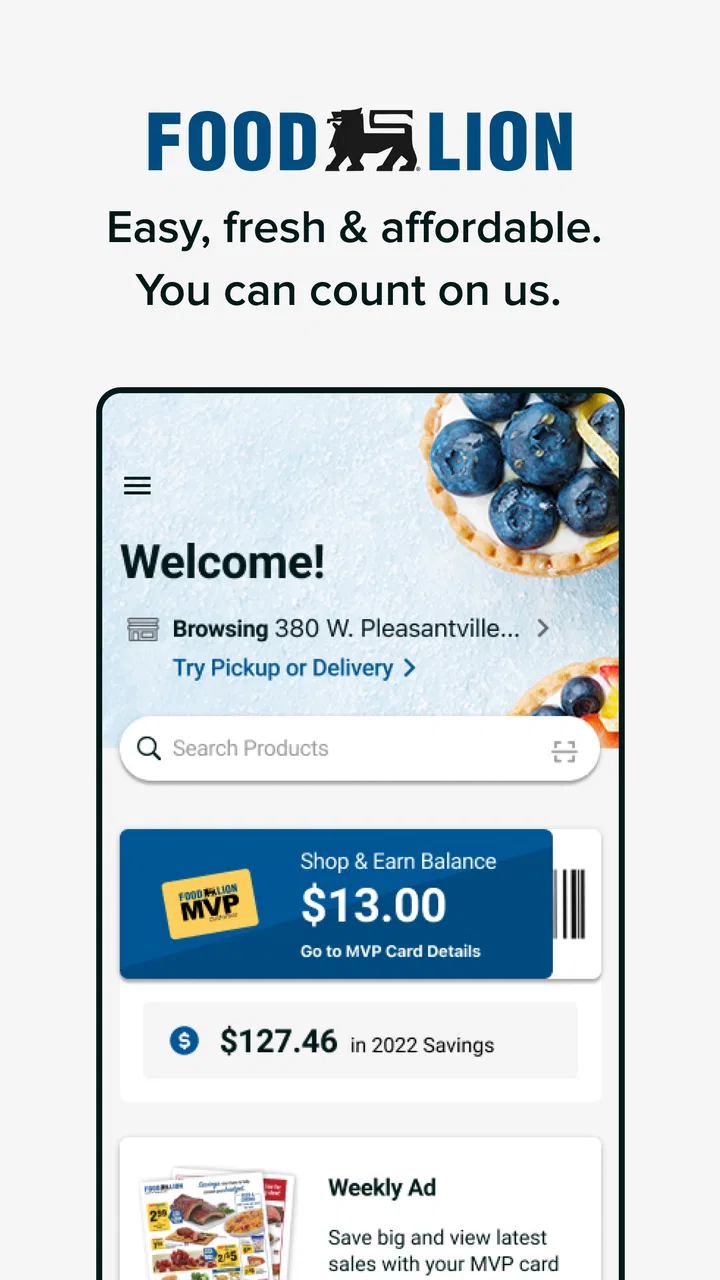
The Food Lion app provides a range of features including digital coupons, weekly ads, and personalized shopping lists. Users can also access their MVP card, view purchase history, and locate nearby stores. The app aims to enhance the shopping experience by offering convenience and savings directly from your smartphone.
02Is the Food Lion app free to download and use?
Yes, the Food Lion app is completely free to download and use. It is available on both Android and iOS platforms. There are no hidden charges for accessing its core features, such as viewing coupons and creating shopping lists, making it a cost-effective tool for grocery shopping.
03How do I redeem digital coupons in the Food Lion app?
To redeem digital coupons using the Food Lion app, you must first load them onto your MVP card within the app. At checkout, simply scan the MVP card or enter the associated phone number, and the discounts will be applied automatically to your purchase, providing an easy way to save money.
04Can I use the Food Lion app without an MVP card?
While you can browse the app without an MVP card, having one enhances your experience significantly. An MVP card is required to unlock personalized deals, load digital coupons, and track savings. Signing up for an MVP card is free and can be done directly through the app for added convenience.
05Does the Food Lion app require internet access to function?
Yes, the Food Lion app requires an internet connection to access most features, such as updating coupons, viewing weekly ads, and syncing your shopping list. While some information may be cached for offline viewing, real-time updates and interactive features necessitate a stable internet connection.
Pros
- User-friendly interface for easy navigation.
- Extensive range of grocery products available.
- Convenient online ordering and pickup options.
- Loyalty program offers great savings.
- Real-time inventory updates ensure availability.
Cons
- Limited delivery options in some regions.
- Occasional app crashes reported by users.
- Some features require stable internet connection.
- In-app ads can be intrusive at times.
- User support response time could be improved.

Food Lion
Gallery